



What You'll Learn
This guide covers what chiropractors need to know about accepting patient payments, from setting up your front desk for fast checkout to managing recurring wellness plan billing. According to the Chiropractic Economics 2022 Salary and Expense Survey, the average chiropractic practice bills $664,244 per year but collects only $463,161 — a gap that better payment collection habits can meaningfully close. You will also learn exactly how to calculate your true processing cost from your own merchant statement, so you can evaluate any processor on equal terms.
Key Takeaways
- According to the Chiropractic Economics 2022 Salary and Expense Survey, the average chiropractic practice collects about 69 cents for every dollar it bills.
- A smoother payment process is one of the fastest ways to improve cash flow without adding new patients.
- Card-present transactions (patient physically taps, swipes, or dips their card in your office) cost less to process than card-not-present transactions (phone payments, invoices, text links). Collecting at the front desk whenever possible keeps costs lower.
- IRS Publication 502 lists chiropractic care as a qualified medical expense.
- Patients expect to pay with HSA and FSA cards. If your terminal does not accept them, you are creating unnecessary friction.
- Storing a card on file with written patient consent lets you charge copays, balances, or wellness plan fees in seconds without chasing patients after the visit.
- Your true processing cost is your effective rate: total fees divided by total card volume, multiplied by 100. Pull this number from your monthly merchant statement before comparing any processor.
- Sending a text payment link the same day a patient balance is known collects faster than mailing a paper statement, which typically arrives weeks later alongside other bills.
- For wellness plans, storing cards and scheduling charges on a set date removes the monthly collections task from your staff entirely.
Running a chiropractic practice means doing two jobs at once. You are a healthcare provider, and you are also a business owner collecting payment from real patients who have varying insurance coverage, payment preferences, and financial situations. Most payment processing guides are written for retail stores. They do not account for how chiropractic billing actually works.
Payment processing for chiropractors involves a specific mix of in-person payments at the front desk, recurring charges for ongoing treatment plans, and the occasional phone payment from a patient who has already left the building. Getting the setup right means you spend less time chasing payments and more time with patients.
This guide covers what to look for, how to build a payment workflow that fits your practice, and how to read your own statement to calculate what you are actually paying.
SwipeSimple
Close the gap between what you bill and collect.
Get a personalized statement analysis and see exactly what's slowing down patient payments at your practice.
Get Started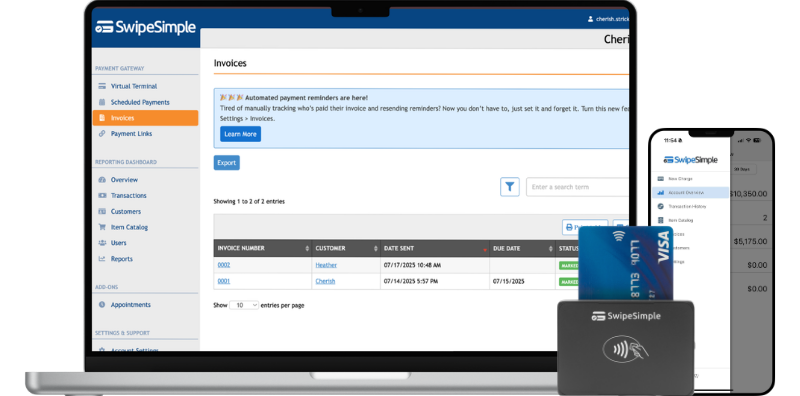
Why Payment Processing for Chiropractors Is Different from Most Industries
Chiropractors do not sell a product. You provide a service that patients often receive on a recurring schedule, whether that is weekly visits during acute care or monthly maintenance adjustments. That changes how payment flows compared to a retail store, a restaurant, or even a dentist office.
A few things that make chiropractic payment processing distinct:
Patients pay from multiple sources. IRS Publication 502 classifies chiropractic care as a qualified medical expense, which means patients can pay with Health Savings Account (HSA) and Flexible Spending Account (FSA) cards. Many patients budget their healthcare spending specifically through these accounts. If your payment setup does not accept HSA and FSA cards, you are pushing those patients toward paying out of pocket and asking them to file for reimbursement later — friction that delays your payment and frustrates them.
Repeat visits create repeat payment moments. A new patient might come in 10 or 12 times over two months during an acute care phase, then shift to monthly maintenance visits. Each visit is a payment event. If collecting payment is slow or awkward at checkout, that friction compounds across hundreds of patient interactions per year. A practice running eight to twelve patients per hour cannot afford a slow payment process.
Some practices carry a higher-risk classification with processors. Factors including the nature of healthcare services, the potential for patient disputes, and the mix of insurance and out-of-pocket payments lead some processors to categorize chiropractic practices differently from straightforward retail. Knowing this before you shop means you will ask the right questions before signing a merchant agreement.
Wellness plans need reliable recurring billing. Many chiropractic practices offer monthly maintenance plans — flat fees covering a set number of adjustments per month. Billing these manually is time-consuming and a source of errors. A payment setup that supports stored cards and scheduled charges removes that task from your staff entirely.
What to Look for in a Chiropractic Payment Processing Solution
Not every payment processor understands healthcare, and not every payment app is built for a service business with repeat patients. Here is what actually matters when you evaluate options.
Transparent fees and the right transaction types. Two types of transactions will define most of your payment volume. Card-present transactions are the ones where your patient physically taps, swipes, or dips their card at your front desk — the card is in the room. Card-not-present transactions are any payment where the card is not physically used: phone payments, invoices sent by email or text, text payment links, and virtual terminal charges. Card-present transactions carry lower processing costs because the risk of fraud is lower when a chip or contactless card is verified in person. Card-not-present transactions cost more because no physical card verification happens. Understanding which types of transactions you process most often is the starting point for evaluating any pricing structure.
HSA and FSA card acceptance. Confirm that any processor you consider accepts HSA and FSA cards before you sign anything. Many patients plan to use these accounts for chiropractic care and will be caught off guard if you cannot accept them.
The ability to store cards on file. For a practice with repeat patients, storing a card on file with written patient consent is one of the most practical time-savers available. When a patient comes in for their third adjustment this month, you charge the stored card in seconds and move on. No fumbling for a wallet, no forgotten cards, no end-of-day collections calls.
Invoicing and text-based payment options. Some patients do not pay at the time of service. An invoicing tool that sends a payment link via text or email lets patients pay from their phone within minutes of receiving it. Practices that send payment requests the same day typically collect faster than those that mail statements.
A simple front-desk interface. The person checking patients out is not a payment specialist. Your checkout setup should handle a transaction in under 30 seconds without specialized training.
How Payment Processing for Chiropractors Works at the Front Desk
The front desk is where most chiropractic payments happen, and the speed of that process matters more than most practice owners realize. Here is what a smooth payment workflow looks like.
At check-in, confirm the payment method. If a patient is on a wellness plan or already has a card on file, confirm it before they go back for their adjustment. This makes checkout faster and avoids any awkward conversations about payment at the end of the visit.
At checkout, collect payment immediately. Do not let patients walk out the door with an unpaid balance unless you have already sent them a payment link. Balances that leave the building with patients are harder to collect. The longer the gap between the visit and payment, the lower your collection rate.
Use a card reader or terminal for in-person transactions. A countertop card reader or handheld terminal processes a card-present payment in seconds. Tap-to-pay contactless cards and digital wallets like Apple Pay are fast and reduce physical contact — relevant in a clinical setting. Card-present transactions also cost less to process than phone payments or payment links, so collecting at checkout whenever the patient is in front of you is the right default.
For patients who need to pay later, send a text payment link right after the visit. These are card-not-present transactions. The patient enters their card information or uses a stored card through the link. They take a few seconds and collect far faster than paper statements. Patients who receive a request while the visit is still fresh respond at much higher rates than those who receive a statement weeks later.
Recurring Payments and Wellness Plans for Chiropractic Practices
Wellness plans and maintenance care packages provide reliable recurring revenue for chiropractic practices, but only when the billing is reliable too. Manual billing for recurring plans is a consistent source of errors and delayed cash flow.
Here is how recurring billing typically works when it is set up correctly:
- Patient enrolls in a plan. A monthly wellness plan might cover four adjustments per month for a flat fee. The patient signs a service agreement and authorizes recurring charges to their payment method.
- Card is stored on file. With written consent, you store the payment method so you do not need to ask for it each month.
- Billing runs on a set date. The charge processes on the plan renewal date without requiring any manual action from your staff.
- Patient receives a receipt. A confirmation via text or email shows the charge and reinforces that the plan is active.
The failure point at most practices is step three. Without a system that handles scheduled charges automatically, someone on your staff has to remember to run each charge, find the patient's card info, and process it individually. For a practice with 30 or 40 wellness plan patients, that is a meaningful administrative burden every single month, and mistakes cost you money directly.
A practical example: a chiropractic clinic with a $89/month wellness plan and 40 enrolled patients has $3,560 per month in predictable recurring revenue. If four or five of those charges fail or go unprocessed in a given month because of manual billing, that is roughly $400 in delayed collections — and patients who do not see a charge on their expected date sometimes let their plan lapse before anyone notices.
Getting Paid Faster: Invoices and Text to Pay for Chiropractic Practices
Insurance coordination creates payment gaps that can stretch weeks. A patient comes in, you bill their insurance, the insurance pays a portion, and then the patient owes a remaining balance. That remaining balance is where many practices lose money.
The traditional approach is to mail a statement. A better approach is to send a text payment link the same day you know the balance.
How text-to-pay works for chiropractic patient balances:
- Insurance pays their portion and you confirm the patient's remaining balance.
- You send a text payment request directly to the patient's phone. This is a card-not-present transaction — the patient enters their card or uses a stored card to pay through the link.
- The patient taps the link and pays in under a minute.
- You receive payment the same day rather than waiting for a check.
Patients who receive a payment request while the visit is still recent are more likely to pay promptly than patients who receive a paper statement three weeks later. By the time that statement arrives, it is competing with other bills and a small chiropractic balance is easy to set aside.
Invoicing also works well for prepaid treatment packages. If a patient is starting a care plan with a defined number of sessions, you can send an invoice before the series begins. They pay once upfront, you deliver the sessions, and there is no payment conversation at every individual visit.
SwipeSimple's invoicing tool sends payment requests via text or email and includes automatic reminders for patients who have not yet paid, so your staff does not need to make follow-up calls.
SwipeSimple
Close the gap between what you bill and collect.
Get a personalized statement analysis and see exactly what's slowing down patient payments at your practice.
Get Started
How to Read Your Merchant Statement and Find Your True Processing Cost
Every chiropractor paying for payment processing has a merchant statement that tells them exactly what they are paying. Most have never read it carefully. Here is how to pull the one number that matters most: your effective rate.
Your effective rate is the real cost of processing, expressed as a percentage of total volume.
The formula is simple:
Total fees divided by Total card volume, multiplied by 100 = your effective rate
For example: if your statement shows $1,100 in total fees and $38,000 in total card volume, your effective rate is 2.89%. That is the number to use when evaluating whether your current setup is competitive.
Where to find these numbers on your statement:
Your merchant statement typically arrives by email or in your processor's online portal each month. Look for:
- Total card volume (sometimes labeled "Total Sales," "Gross Sales," or "Total Processing Volume"): this is the total dollar amount of all card transactions you processed during the month. It is usually on the summary page at the top of the statement.
- Total fees (sometimes labeled "Total Charges," "Monthly Fees," or "Total Amount Due"): this includes every fee the processor charged you — per-transaction fees, monthly fees, PCI compliance fees, batch fees, and any other line items. Add them all together if they are listed separately. Do not skip the small line items; they add up.
Divide the total fees by the total card volume, then multiply by 100. That is your effective rate.
What makes that rate go up or down:
Card-present transactions — where your patient physically taps, swipes, or dips their card at your front desk — carry lower processing costs than card-not-present transactions, where payment happens over the phone, through an invoice link, or via a text payment request. The more card-present transactions make up your volume, the lower your effective rate will tend to be. Training your front desk to always use the reader when a patient is standing at checkout, rather than manually keying in card numbers, keeps more of your transactions in the lower-cost category.
Your effective rate also rises if you are on a tiered pricing structure and many of your cards qualify as "mid-qualified" or "non-qualified" (typically rewards cards and corporate cards). Flat-rate pricing applies the same percentage regardless of card type, which makes your statement simpler and your effective rate more predictable.
How to use this number:
Once you know your effective rate, you can evaluate it over time. If it is rising month over month, something changed in your transaction mix or your processor added fees. If you are comparing processors, calculate the effective rate you would pay on last month's volume under each pricing structure, then compare directly. No estimate required.
Frequently Asked Questions
What payment methods should a chiropractic practice accept?
At minimum, chiropractors should accept Visa, Mastercard, American Express, Discover, debit cards, and HSA/FSA cards. [IRS Publication 502](https://www.irs.gov/publications/p502) lists chiropractic care as a qualified medical expense, so patients can pay for chiropractic services with HSA and FSA funds. Many patients specifically budget healthcare spending through these accounts, and not being able to accept those cards pushes patients toward paying out of pocket and filing for reimbursement separately — extra work that sometimes leads them to delay or skip payment. Contactless tap-to-pay cards and Apple Pay are worth supporting for speed and reduced physical contact in a clinical setting.
Is a chiropractic practice considered high-risk for payment processing?
Some payment processors classify chiropractic practices as medium-to-high risk due to factors including the nature of healthcare services, potential for patient payment disputes, and the mix of insurance and out-of-pocket payments. This can affect which processors will work with you and at what terms. Be upfront about your business type when applying for merchant services, look for processors with healthcare industry experience, and ask specifically how they handle disputes before signing a merchant agreement.
How do I calculate what I am actually paying for payment processing?
Pull your most recent merchant statement and find two numbers: total fees (every charge the processor billed you, added together) and total card volume (the total dollar value of all card transactions you processed). Divide total fees by total card volume and multiply by 100. The result is your effective rate. That is the real cost of processing as a percentage of your volume, and it is the only number worth comparing between processors. A processor with a low headline rate but high monthly fees and surcharges can have a higher effective rate than one with a slightly higher transaction fee and no add-ons.
Can chiropractors store patient credit cards on file?
Yes, with proper patient consent. Storing a card on file requires written authorization from the patient clearly stating what the card will be used for — copays, remaining balances, recurring plan fees, or some combination. Patients must sign or electronically agree before you store or charge the card. The card data itself is held by your payment processor, not on your own systems, and any processor you work with should be PCI DSS compliant. Stored cards make repeat-patient billing significantly faster and reduce the end-of-day collections workload on your front desk staff.
What is the best way to collect outstanding patient balances?
Send a text payment link the same day the balance is known. Do not wait for a paper statement. Text payment requests reach patients while the visit is still fresh, and patients who receive a request within hours of their appointment pay at higher rates than those who receive a statement weeks later alongside other bills. Automatic invoice reminders follow up on unpaid balances without requiring any action from your staff. For recurring wellness plan balances, storing a card on file and scheduling a charge on a set date eliminates the monthly collection task entirely.
The Chiropractic Economics 2022 Salary and Expense Survey shows the average practice collects about 69 cents for every dollar it bills. Some of that gap is insurance-driven and largely outside your control. But a meaningful portion comes down to when and how you collect from patients: at checkout on the day of service, via a same-day text link, or weeks later through a mailed statement that competes with every other bill in the patient's inbox.
SwipeSimple gives chiropractic practices the tools to close that gap — a card reader or terminal for in-person card-present payments, invoicing and text-to-pay for remote card-not-present balances, and stored-card support for repeat patients and wellness plans. Setup is straightforward, and your front desk staff can start taking payments the same day.
See how SwipeSimple works for medical and professional service practices.
Related posts
.png)
Best Invoicing Software for Small Business in 2026
.png)
Flat Rate Pricing for HVAC Contractors: Is Time and Materials Costing You Money?
.png)




