


.png)
What You'll Learn
Over 55% of U.S. invoices are paid late, and HVAC contractors are among the hardest hit, with commercial accounts waiting 45 to 90 days on receivables. This guide covers the practical tools and systems HVAC business owners can use to collect payment on-site, send digital invoices, and cut their average collection time from weeks to same-day.
Key Takeaways
- Collecting payment at job completion before the technician leaves the driveway is the single biggest lever HVAC contractors have on cash flow
- Tap to Pay on iPhone lets technicians accept contactless cards and Apple Pay directly on their iPhone with no additional hardware needed
- The average manual invoice takes 14.6 days to process — digital invoices with automatic reminders can cut that to same-day
- Text to Pay lets you send a payment link via text before, during, or after a job, ideal when the customer is not on-site
- Deposits collected upfront via Payment Links reduce no-pay risk on equipment installs before you ever order a unit
- Automatic payment reminders in SwipeSimple Invoices follow up with unpaid customers so you don't have to chase manually
- Building payment into the job wrap-up checklist rather than treating it as an afterthought is what makes on-site collection stick across your whole team
You just finished a four-hour AC repair in August heat. The homeowner is happy, the equipment is running, and your tech is ready to head to the next call. Then the customer says, "Can you mail me the invoice?"
That moment, repeated dozens of times a month, is where HVAC contractors quietly lose cash flow. Not because jobs go unpaid, but because the time between completing the work and actually receiving the money stretches into weeks. Over 55% of invoices in the U.S. are paid late, and for HVAC companies juggling parts costs, payroll, and seasonal demand swings, delayed payments aren't just inconvenient. They're a real business problem.
Modern HVAC payment processing tools change that equation. When your technicians can collect payment the moment a job wraps, you stop waiting and start building the working capital that lets you take on more work, stock more parts, and grow your business.
This guide covers the practical steps HVAC contractors can take to collect payment faster, what tools actually work in the field, and how to set up a system that doesn't slow your techs down.
SwipeSimple
Get paid the day the job is done.
Get a personalized statement analysis and see exactly what's slowing down payment collection at your HVAC business.
Get Started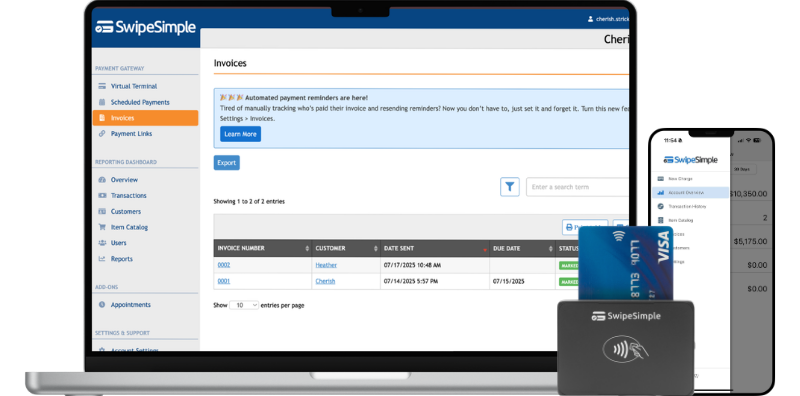
Why HVAC Payment Processing Is Different from Other Industries
HVAC work has a payment problem that most retail businesses never face: the gap between service completion and payment collection can be enormous.
In a retail store, payment happens at the point of sale. You hand over the item, they hand over the money. A field service job works differently. Your technician drives to the job, diagnoses the problem, completes the work, and then — if your process isn't set up well — drives away without collecting a dime. The invoice gets created back at the office, emailed or mailed to the customer, and then you wait.
The average time to manually process and send an invoice is about 14.6 days. That's two weeks from job completion before the customer has even received a bill, let alone paid it.
For residential HVAC work, this creates a surprisingly common scenario: the customer cools off (literally and figuratively) after the crisis passes, the invoice gets buried in an inbox, and you're following up two or three weeks later chasing a payment on a job that's long done.
For commercial HVAC work, it's even more pronounced. Industry averages show commercial contractors waiting 45 to 90 days on receivables. That's three months of float you're financing out of your own pocket.
The tools to close this gap exist and they're not complicated. Here's how to use them.
Collecting Payment On-Site: The Fastest Path to Better Cash Flow
The most effective improvement any HVAC company can make to their HVAC payment processing is to collect payment at job completion, before the technician leaves the driveway.
This sounds obvious, but most HVAC companies aren't set up to do it. They either don't have a way to take cards in the field, or the process is clunky enough that techs skip it to get to the next job. The fix is giving every technician a simple, reliable way to accept payment on the spot.
Here's what that looks like in practice:
- Tech completes the job. System is running, customer confirms they're satisfied.
- Tech creates the invoice on their phone. Takes 60 seconds. Line items, parts, labor, total.
- Customer pays on the spot. Card tap, swipe, or Apple Pay on the tech's iPhone. No terminal required.
- Receipt goes to the customer via text or email. Customer gets documentation immediately.
- Tech moves to the next call. Payment is done.
With SwipeSimple's Tap to Pay on iPhone, your technician doesn't need to carry a separate card reader. They can accept contactless credit cards, debit cards, and digital wallets like Apple Pay directly on their iPhone. No extra hardware to lose, forget, or charge. The phone your tech already has becomes a full payment terminal.
A concrete example: a two-tech HVAC company running 8 service calls per day was sending invoices from the office after hours. On average, 30% of customers didn't pay within 14 days, creating a consistent cash flow crunch heading into every parts order. After switching to on-site payment collection, same-day payment on residential calls jumped to over 85%.
HVAC Payment Processing Tools That Actually Work in the Field
Not every payment tool is built for the physical realities of HVAC work — hot attics, muddy job sites, customers who aren't always home, and technicians whose phones are already juggling dispatch apps and GPS.
Here's a breakdown of what works and when to use each option:
Tap to Pay on iPhone
Best for: Residential service calls, emergency repairs, smaller invoices
SwipeSimple's Tap to Pay on iPhone turns any iPhone into a contactless payment terminal. The customer taps their card or phone to your technician's iPhone, and the transaction processes instantly through the SwipeSimple app. No card reader. No additional hardware. Works anywhere with a cell signal.
This is ideal for the vast majority of HVAC service calls — homeowners who want to pay quickly and be done with it. Download the iOS app at the App Store.
Invoices with Text to Pay
Best for: Jobs where the decision-maker isn't on-site, commercial accounts, multi-unit properties
Sometimes your tech finishes a job at a rental property and the landlord is across town. Or a commercial client needs the invoice routed through accounts payable. SwipeSimple's invoice feature lets you send a payment link directly via text message. The customer clicks, pays by card from their phone, and you're done.
Digital invoices paid through a customer portal get paid, on average, up to four times faster than customers paying by check.
Text to Pay
Best for: Follow-up on estimates, collecting deposits before a scheduled install
Text to Pay lets you send a payment request directly to a customer's phone number. They receive a text with a secure link, tap it, and pay by card. No app required on their end. This is especially useful for collecting deposits on equipment installs — send the link after the estimate call and get confirmation before you order the unit.
SwipeSimple Terminal
Best for: Customers who prefer traditional card-present transactions, office payment collection
The SwipeSimple Terminal is an all-in-one handheld device with a built-in receipt printer — useful if your techs work in areas with older customer demographics or if you have a shop or showroom where customers come to you.
How to Set Up an HVAC Payment Processing System That Sticks
Getting the tools is step one. Getting your team to actually use them consistently is step two, and it's where most companies fall short.
Step 1: Define when payment is expected.
Your technicians need clarity on the rule. For residential service calls, the standard should be: payment collected before the tech leaves the property. No exceptions for "I'll just invoice them." If there's a genuine exception (disputed work, waiting on insurance approval), it should be logged with a reason.
Step 2: Build payment into the job wrap-up checklist.
If your techs use a dispatch app or complete a job checklist, add payment confirmation as a required step. Payment status shouldn't be something they think to do after the fact. It should be the last step of every job, the same way they'd confirm the equipment is running.
Step 3: Give every tech the tools on their own phone.
Shared devices or equipment left in the truck create friction, and friction means skipped payments. Set up every technician with the SwipeSimple app on their personal iPhone and make sure they know how to create an invoice and take a payment before their first solo call.
Step 4: Set up automatic payment reminders for invoices.
For jobs where you do send an invoice after the fact, SwipeSimple's invoice feature includes automatic payment reminders to customers who haven't paid. You set it once and the reminders go out without you having to manually chase anyone.
Step 5: Review your payment data weekly.
The SwipeSimple reporting dashboard shows you which jobs have been paid, which are outstanding, and when payments came in. A weekly five-minute review tells you whether your process is holding or whether follow-up is needed.
Handling Common HVAC Payment Challenges
Even with the right tools, HVAC payment collection comes with predictable friction points. Here's how to handle the ones that come up most often:
The homeowner isn't home
Your tech completed the work — a system tune-up, a warranty repair — but the homeowner was at work and left access. Use Text to Pay: your tech texts the invoice link from the job site. The customer pays from their desk during lunch. Done.
The equipment install is too big to collect in full at completion
For larger jobs — new system installs running $5,000 to $15,000 — collecting a deposit upfront and the balance at completion is standard practice. Use Text to Pay or a payment link to collect the deposit when the customer approves the estimate. Collect the balance on-site at job completion. This splits the risk and keeps cash flowing.
The commercial client requires net-30
Commercial accounts often have accounts payable processes that move on their own timeline. For commercial clients, SwipeSimple invoices with automatic reminders handle the follow-up without manual effort. Set the payment terms, send the invoice, and let the reminder cadence do the work.
The customer wants to split it between a card and check
Accept the card portion through SwipeSimple and note the check portion in the payment record. Keep the customer in the loop on what's still owed. Having a running record in the dashboard makes follow-up straightforward.
My techs forget to collect payment
This is a process problem, not a tools problem. Revisit step 2 above — payment needs to be a required checklist item, not an afterthought. Review weekly data and coach individual techs on their payment collection rate.
Reducing No-Pay Risk Before the Job Starts
The best time to reduce payment problems isn't at job completion. It's before the job starts.
For equipment installs and larger service contracts, collecting a deposit upfront changes the customer relationship. A customer who has already paid something is far more likely to pay the balance than one who hasn't committed financially.
For new residential customers, especially on non-emergency calls, requiring a small diagnostic fee or deposit before scheduling reduces no-shows and signals that you take payment seriously.
For commercial accounts, get payment terms agreed to and in writing before the first job. Net-30 in writing is much easier to enforce than a verbal assumption.
SwipeSimple's Payment Links and Text to Pay features make collecting deposits easy. You can send a link before the tech even drives to the job site. By the time the tech arrives, the financial relationship is already established.
SwipeSimple
Get paid the day the job is done.
Get a personalized statement analysis and see exactly what's slowing down payment collection at your HVAC business.
Get Started
Frequently Asked Questions
What is the best way for HVAC technicians to accept payments in the field?
The most efficient approach is Tap to Pay on iPhone, which allows technicians to accept contactless credit cards, debit cards, and digital wallets like Apple Pay directly on their iPhone with no separate hardware needed. For jobs where the customer isn't on-site, sending a Text to Pay link or an invoice with a payment link works equally well. The goal is to collect payment the same day the work is done, before the technician leaves the job.
How can HVAC companies reduce late payments from customers?
The most effective strategies are: collect payment on-site at job completion for residential service calls rather than invoicing afterward; use digital invoices with automatic payment reminders for jobs that do require invoicing; require deposits upfront for equipment installs; and send payment links via text immediately after job completion so customers can pay from their phones while the work is fresh. Over 55% of invoices in the U.S. are paid late — the key is to reduce the number of invoices you have to send in the first place by collecting on-site.
Do HVAC technicians need special hardware to accept card payments?
Not necessarily. With Tap to Pay on iPhone through the SwipeSimple app, technicians can accept contactless payments using only their iPhone with no card reader required. For technicians who want to accept chip cards or prefer a dedicated device, SwipeSimple also offers card readers and the SwipeSimple Terminal with a built-in receipt printer. The right choice depends on your team's workflow and customer base.
Can HVAC companies offer installment payment plans to customers?
Yes, and for large jobs like system replacements that run $5,000 to $15,000, offering installments significantly reduces customer hesitation. Some payment processors include built-in financing or buy-now-pay-later options that pay you the full job amount upfront while the lender manages the customer's payment schedule. A simpler approach is to collect a deposit before work begins and the balance upon completion using Tap to Pay on iPhone or a Text to Pay link sent directly to the customer. Whatever method you use, establishing a clear deposit and installment policy in writing before the job starts reduces disputes and improves collection rates.
How do I automate billing and payments for HVAC work?
The most effective setup combines three tools: Tap to Pay on iPhone for immediate on-site collection when the job is complete, digital invoicing for jobs where the customer pays later, and Text to Pay links that deliver a payment URL directly to the customer's phone. When these connect to your accounting software, payments post automatically without manual data entry. The goal is to ensure every technician leaves a job with either a completed payment or an active invoice already sent, not a paper invoice to hand off or a check to chase down later.
How does HVAC payment processing improve cash flow?
The faster you collect payment, the less time your money spends in other people's hands. Manually processed invoices take an average of 14.6 days just to create and send, adding weeks to your payment cycle. Commercial HVAC contractors often wait 45 to 90 days to collect on receivables. Switching to on-site payment collection for residential calls and digital invoices with automatic reminders for commercial work can cut your average collection time from weeks to days, freeing up working capital to buy parts, cover payroll, and take on more jobs.
Can HVAC companies collect deposits before a job using mobile payment tools?
Yes. SwipeSimple's Text to Pay and Payment Links features let you send a payment request to a customer's phone before the job is scheduled or before the technician arrives. This is ideal for equipment installs where you want to confirm customer commitment before ordering a unit, or for new residential customers where you want to establish a financial relationship upfront. The customer receives a text or link, pays by card from their phone, and you have the deposit in hand before any work begins.
Getting paid fast isn't about being aggressive with customers. It's about removing the friction that stands between a completed job and money in your account. Most HVAC companies are leaving significant cash flow on the table not because customers won't pay, but because the process makes paying harder than it needs to be. Build a system where payment is the natural final step of every service call, and the lag between work and payment shrinks dramatically.
SwipeSimple gives HVAC contractors the tools to collect payment on-site, send text invoices for jobs where the customer isn't present, and track everything from a single dashboard. Ready to get paid faster? Get started with SwipeSimple Connect.
Related posts
.png)
Best Invoicing Software for Small Business in 2026
.png)
Flat Rate Pricing for HVAC Contractors: Is Time and Materials Costing You Money?
.png)




