Classroom
Customers
Mobile

Managing Customers and Saved Cards on the SwipeSimple App

Keep customer details and saved cards organized right from your phone. The SwipeSimple Mobile App makes it easy to manage profiles and take repeat payments on the go.

Managing Customers and Saved Cards on the SwipeSimple Mobile App

When you take repeat payments from the same customers, keeping their information in one place helps everything run smoothly. The SwipeSimple app lets you manage customer profiles and saved cards directly on your mobile device, so you can stay organized and process payments quickly wherever you are.

Store and Manage Customer Profiles

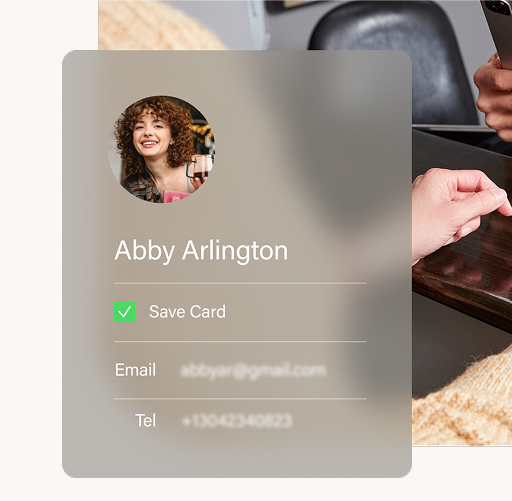
In the app, you can view and update your customer list anytime. Each profile keeps important details in one spot—like name, email, phone number, and shipping address—making it easier to find and serve your regular customers.

Save Cards on File for Future Payments

Customers can choose to save a card on file, so you don’t have to re-enter details the next time they make a purchase. This speeds up checkout, reduces errors, and gives your customers a simple, professional experience.

Use Stored Cards for New Transactions

When a saved card is available, you can process a new payment in just a few taps. It’s a great option for recurring services, subscriptions, or any situation where a customer returns regularly.

Why It’s Helpful

  • Faster checkouts: No need to re-enter card details for returning customers.
  • Better organization: Keep contact and payment info all in one place.
  • Professional experience: Customers appreciate quick, seamless repeat payments.

Managing customers and saved cards on mobile helps you stay connected to your business wherever you work. With the SwipeSimple app, keeping track of customer details and accepting repeat payments has never been easier.

Related Articles

Getting Started
Settings

Customizing Account Settings in the SwipeSimple Dashboard

Adjust receipts, alerts, taxes, reports, and transaction settings in one place with Account Settings in the SwipeSimple Dashboard.
Mobile
Getting Started
Inventory Management
Web
Terminal

Creating and Applying Discounts in SwipeSimple

Create, manage, and apply discounts across SwipeSimple—on Mobile, Terminal, Invoices, and Virtual Terminal.
Web

Accepting Payments with the Virtual Terminal

Use the Virtual Terminal to take payments right from your computer. Key in cards or charge stored cards with no reader required.
Settings
Mobile

Customizing Mobile App Settings

Adjust checkout options, enable Tap to Pay on iPhone, manage accounts, and access support—all from Mobile Settings in the SwipeSimple app.
Customers
Scheduled Payments
Web

Using Scheduled Payments in the SwipeSimple Web Dashboard

Set up subscriptions, installments, and recurring billing with Scheduled Payments in the SwipeSimple Web Dashboard.
Customers
Mobile

Managing Customers and Saved Cards on the SwipeSimple App

Keep customer details and saved cards organized right from your phone. The SwipeSimple Mobile App makes it easy to manage profiles and take repeat payments on the go.
Mobile

Issue Refunds, Void Transactions & Resend Receipts

Need to fix a payment or resend a receipt? The SwipeSimple app makes refunds, voids, and receipts simple to manage—right from your phone.
Invoices
Mobile

How to Use Invoices on Mobile

Send invoices right from your phone. SwipeSimple makes it easy to create, send, and track invoices on the go.
Getting Started
Mobile
Web

How to Navigate SwipeSimple - Mobile App & Web Dashboard

See how SwipeSimple makes it easy to manage payments and business tasks from anywhere—whether you’re on your phone or at your computer.
Getting Started
Mobile

Processing Payments with SwipeSimple

Get a quick walkthrough of the SwipeSimple mobile app. Learn how to add items, apply discounts, take payments, and send receipts—all in just a few taps.